Improve your trades with data, not feelings
Tradenza is a modern, open-source trading journal. Import your trades, review every execution, and turn your history into an edge — all in one calm, focused place.
A closer look
Real screens, real workflow
Here's how a trading session comes together.
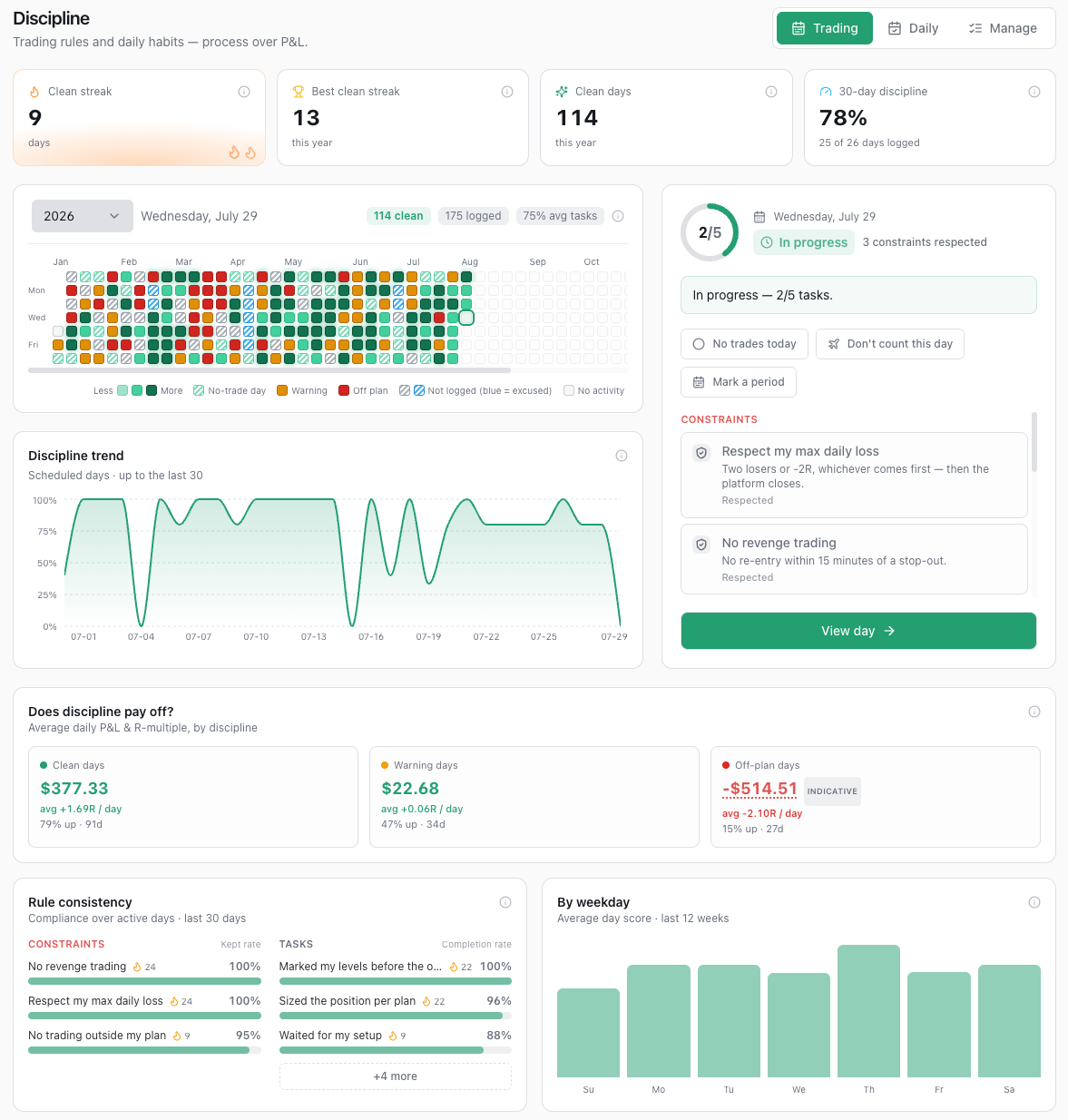
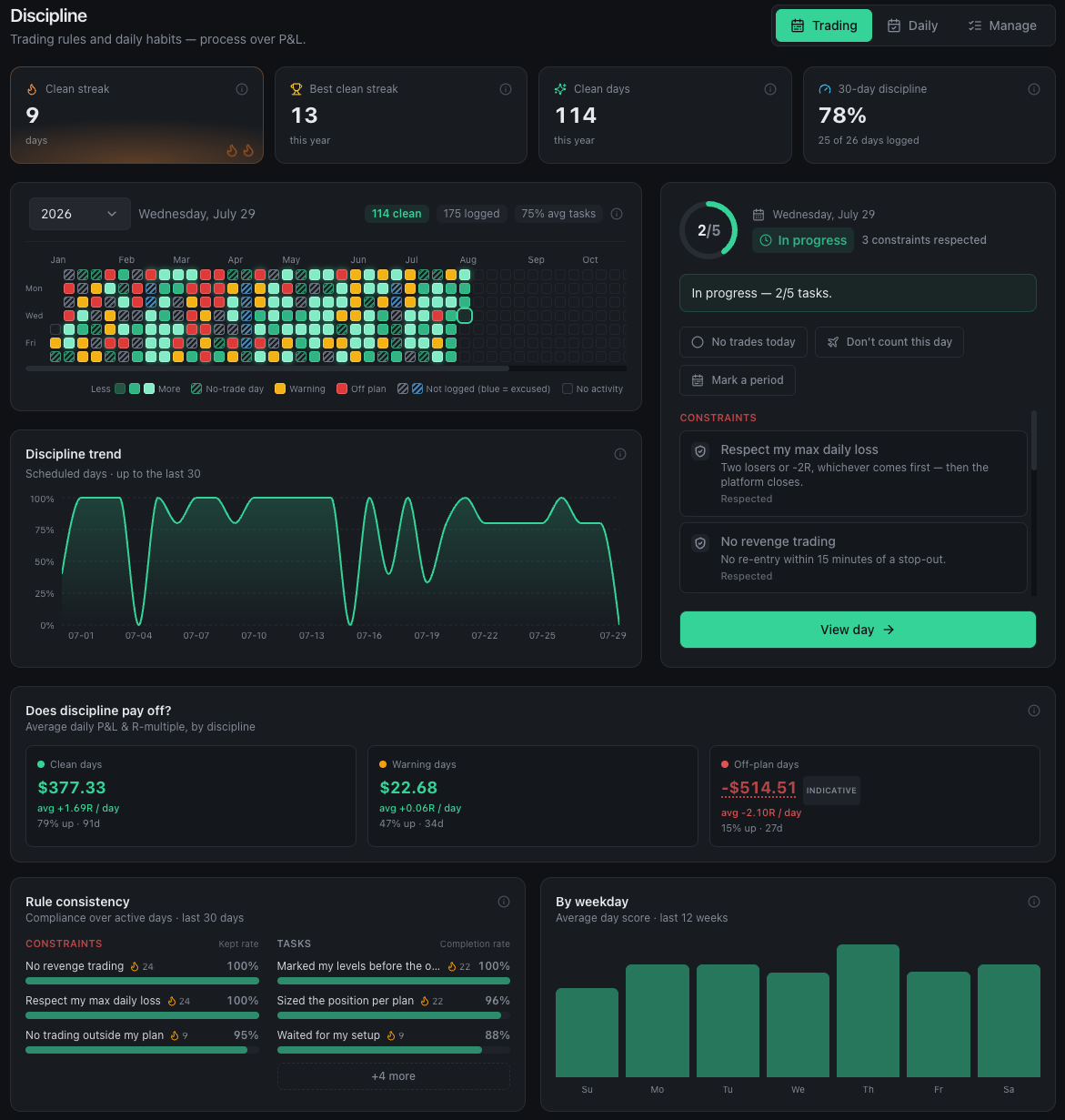
Process over P&L
Hold yourself to your own rules, separate from P&L — across two tabs. Trading scores how you executed; Daily tracks how you showed up: sleep, gym, screens, mindset. Every rule is either a task you tick off or a constraint you must not break, each on its own weekday schedule. A year-long heatmap paints both at a glance, and a payoff view shows whether any of it actually pays.
- Trading rules and daily habits, one model, two tabs
- Tasks you tick off vs. constraints you must not break
- Year heatmap, clean-day streaks and a 30-day trend
- Mark days you were away — a holiday won't break your streak
- See if it pays: daily P&L and R-multiple by day type
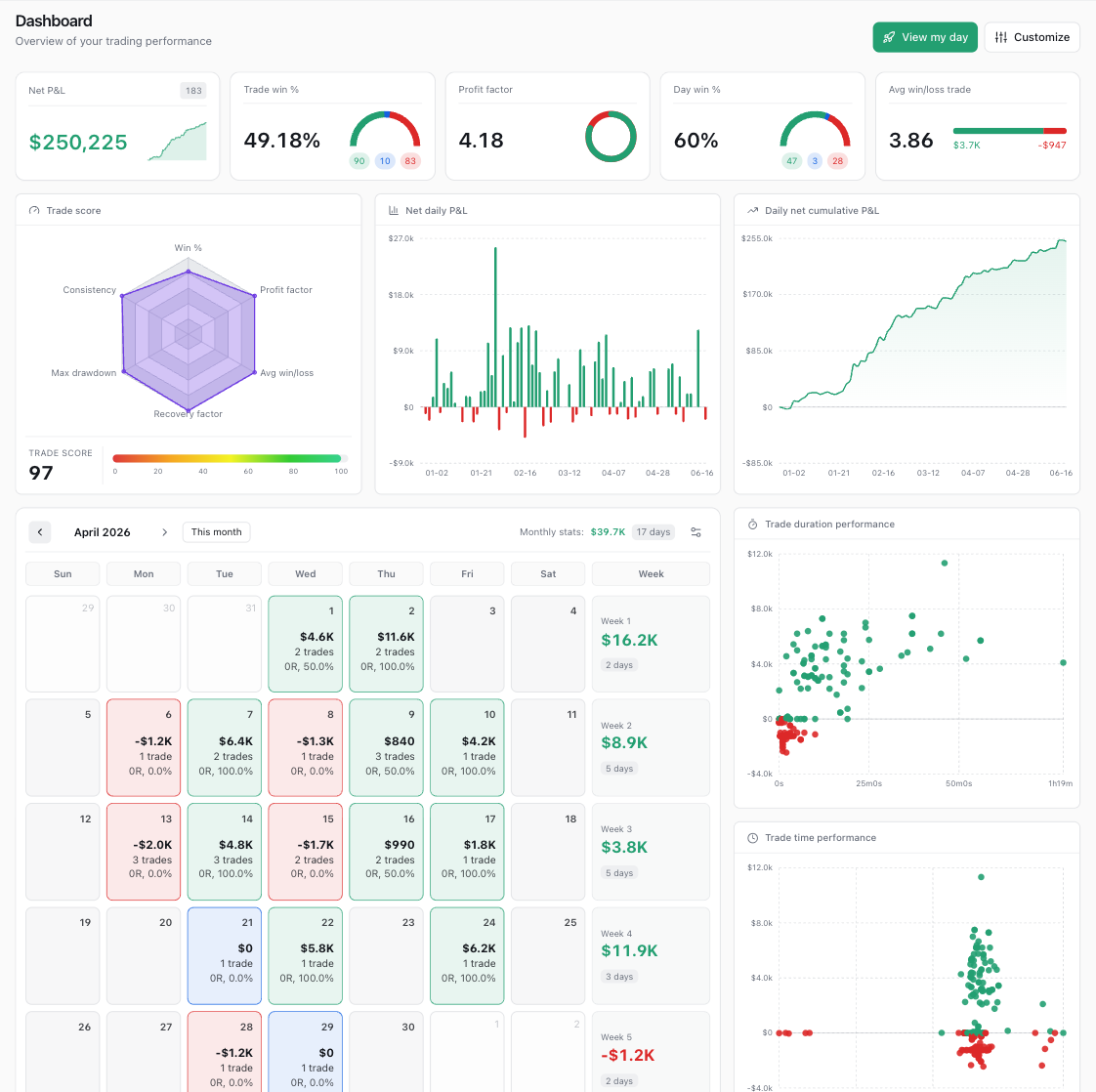
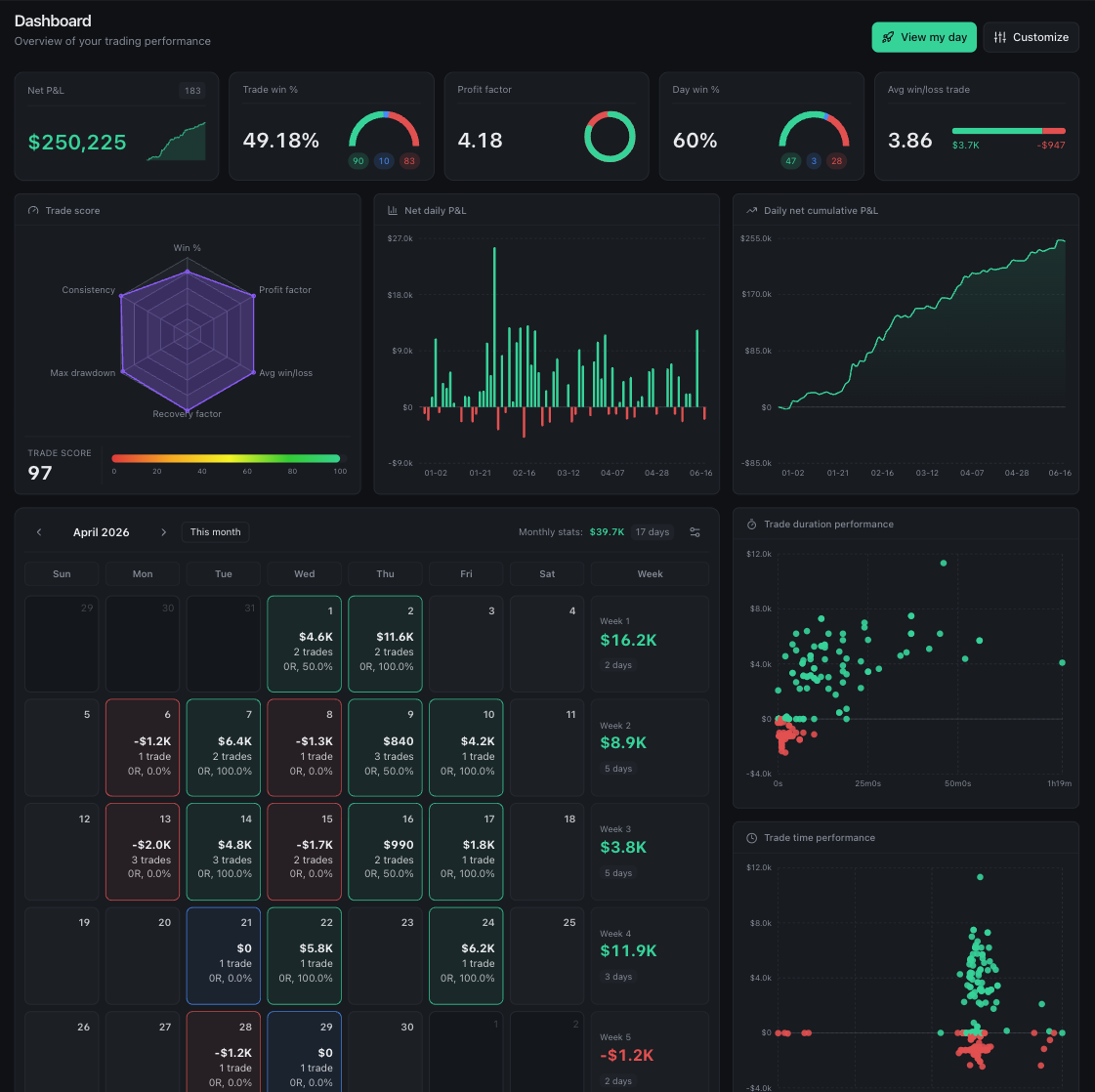
See your whole edge at a glance
A customizable widget dashboard with the metrics that actually move the needle — net P&L, win rate, profit factor, a trade score, your equity curve and a P&L calendar.
- Drag-and-drop widgets and saved layout templates
- Equity curve, P&L calendar and KPI tiles
- Filter by account, date range, $ / R and more
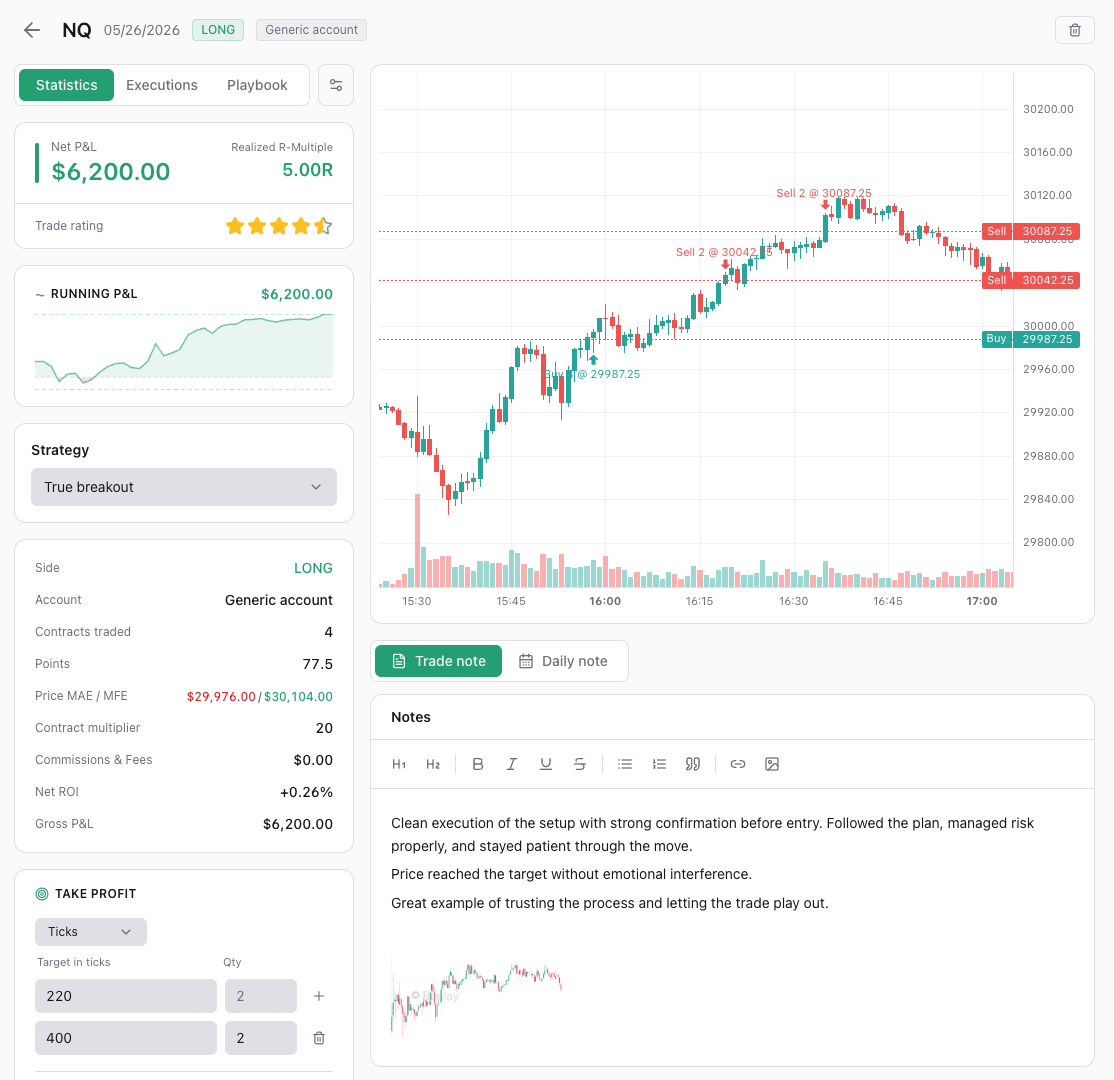
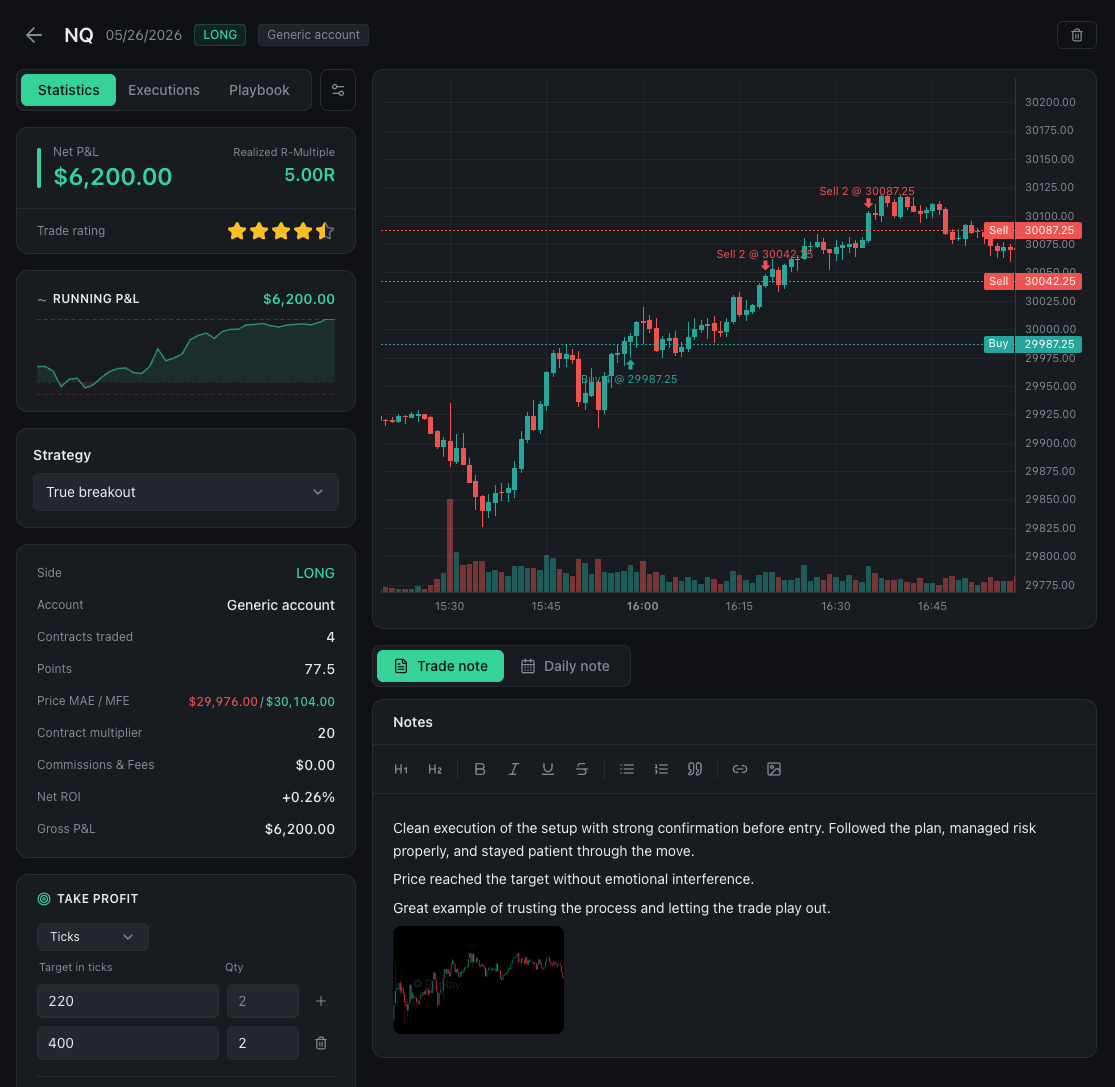
Review every trade like a pro
Open a trade on a full price chart with your executions marked, watch the running P&L build, rate your execution and journal the setup, emotions, mistakes and lessons — then arrange the sidebar panels and stats exactly how you like.
- Chart with entries, exits and running P&L — futures, stocks, forex and crypto
- Multi-execution and multi-leg support
- MAE/MFE and R-multiple on every trade, expectancy across your history
- Structured notes, tags, screenshots, star rating and more
- Customizable sidebar — show, hide and reorder every panel and stat
And more
Everything else you'd expect
Beyond the dashboard, journal and discipline tracker — playbooks, daily reviews, analytics and the tooling that makes logging fast and keeps your data yours.
Strategies & playbooks
Define each setup you trade as a reusable strategy with entry and exit checklists and reference screenshots. Assign it to trades, tick off what you actually followed, and review per-strategy stats and how closely you stuck to the plan.
Flexible import
A guided wizard takes any broker CSV — it auto-detects the columns and lets you fix the mapping before importing, so your broker doesn't need to be on a list. De-duplicated automatically, rollback-able, and exportable back to CSV whenever you want your data elsewhere.
Trading accounts
Built for the prop-firm workflow: track firms, phases, account sizes and starting balances, and filter everything by account.
Tags & categories
Color-coded tags grouped into categories — label setups, mistakes and conditions, then filter and analyze by them.
Responsive app
Designed to work across desktop, tablet and mobile screens, so you can review trades and check your journal wherever you are.
Global filters
One header to switch accounts, pick a date range with presets, toggle $ / R and more — applied across every screen.
How it works
From raw trades to a real edge
Import or log your trades
Bring in a CSV from your broker, or add trades manually.
Review & journal
Open each trade on the chart, grade your execution, and capture the setup, emotions and lessons while they're fresh.
Close the day
Tick off the rules you kept, flag the ones you broke, and write the day up — trading and everyday habits alike.
Improve with data
Watch your statistics and discipline streaks, find your edge — and your leaks — and trade the plan, not the feeling.
Free, open, and yours to keep
I built Tradenza for my own trading, then decided to open it up. Use it however you like, self-host it on your own infrastructure, read every line, and contribute if you'd like. There's no paywall and no lock-in — your trading data is yours.
If it helps your trading, a voluntary tip keeps it going — entirely optional.
FAQ
Questions, answered
Is Tradenza really free?
Yes. Sign up and use the hosted app for free, and the whole project is open source under AGPL-3.0 so you can self-host it too. No paywalled features and no trial that expires. If it helps your trading, a voluntary tip is welcome — but never required.
Hosted or self-hosted — what's the difference?
Two ways to run Tradenza, both free. Use the hosted app right here — sign up and start journaling, with nothing to install or maintain. Or, because it's open source, deploy your own instance and keep everything on your own infrastructure. Same app either way; pick whatever you prefer.
Do I need to be a developer to use it?
Not at all. Just sign up and use Tradenza in your browser — there's nothing to install. If you're technical and want full control, the project is open source and self-hostable; the README walks through it step by step.
Where is my trading data stored?
On the hosted app your trades live in a secure managed database, tied to your account — you can export or delete them at any time, and your data is never sold. Prefer full control? Self-host and your data never leaves your own infrastructure.
Which brokers and instruments are supported?
Any of them, in practice. The importer reads your CSV's headers, auto-detects which column is which, and shows you the mapping to correct before anything is saved — so your broker doesn't need a purpose-built parser. There's a picker of 25 known brokers, prop firms and platforms (Interactive Brokers, MetaTrader 4/5, Tradovate, TopstepX, Thinkorswim, cTrader, Rithmic, DeepCharts and more) that pre-sets sensible defaults, plus a generic template and manual entry for everything else. Stocks, futures, forex, crypto, options and CFDs are all supported, each priced with the right value multiplier. You can override the multiplier per execution whenever an instrument is unusual.
Does every trade get a price chart?
Most do, but not all — so it's worth knowing up front. The trade detail chart plots your entries and exits against real historical price for futures, stocks, forex and crypto. Options and CFDs have no market-data source wired up yet, so those trades show a short note instead of a chart. Charts also only cover completed days, so a trade you entered today gets its chart the next day. Everything else is unaffected: those trades still journal, score and report exactly like any other — only the chart itself, and the MAE/MFE figures derived from it, are missing.
Can I contribute or request features?
Absolutely. It's open source and built in the open — open an issue for bugs or ideas, or send a pull request. See CONTRIBUTING.md to get started.
Does Tradenza connect to my broker or place trades?
No. Tradenza is a journaling and analytics tool only. It never connects to live brokerage accounts, never places trades and never moves money — you stay fully in control.
Get started
Start journaling today
No credit card. Free to use, free to self-host — see whether your discipline is actually paying off.
Start free →